Submitting Written Assignments
- Select WRITTEN ASSIGNMENTS from the MY COURSEWORK menu.

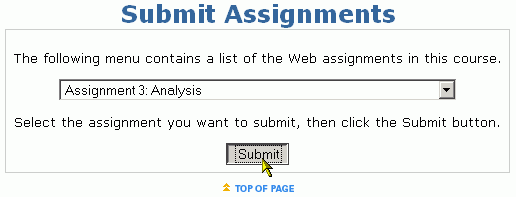
- Use the drop down menu to select the Assignment you want to submit an answer for and click the Submit button.

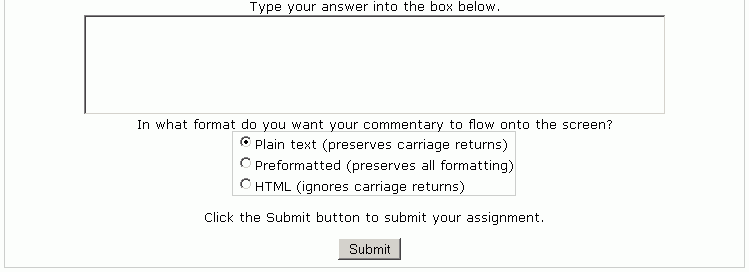
- Carefully read the assignment instructions. Type your response into a word processor and then copy and paste it into the answer box that appears below the instructions. All submissions are saved on the website, however saving a copy locally on your computer is recommended.
- Selecting HTML will enable hyperlinks, selecting Preformatted preserves the format the submission was created in, and Plain text will only remember where the text is separated by starting a new line when pressing the "Enter/Return" key.
- After pasting your response and selecting the format, click the Submit button to complete the assignment submission.
NOTE: If your instructor allows you to have another attempt to submit the assignment, make revisions according to your instructors comments, and then paste your new submission over the text that will appear in text box. All submissions are saved separately and pasting over the old submission is necessary for re-submitting answers and will not cause you to lose any details of your submissions.