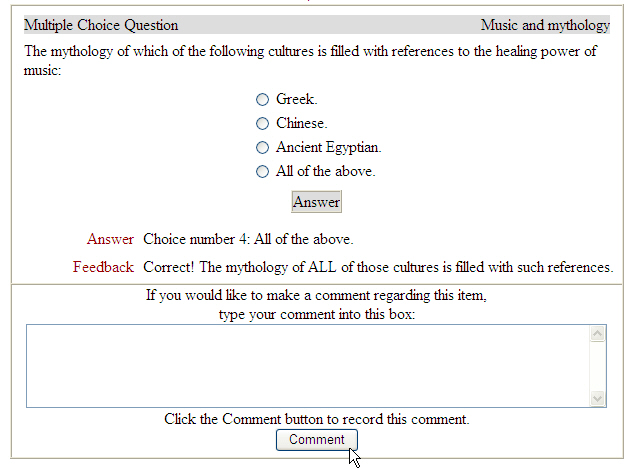





- I need to access previous assignments (quizzes, written assignments, exams) in the course. How do I access them?
- I just started the final exam and the pictures and audio are not working. When I click the audio it says, "Requested file not found. The link you followed may be outdated or inaccurate."
- I took an exam and I think I got one of the answers correct.
I need to access previous assignements (quizzes, written assignments, exams) in the course. How do I access them?
The Detailed Index page allows you to access any portion of the course including all lectures, quizzes, written assignments, and exams.
- Launch Microsoft Internet Explorer, go to www.connect4education.org and login into your course.
- Scroll to the bottom of the course until you see the blue Student Control Panel. Under the Content column, click Detailed Index.
- Click any section you want to access.

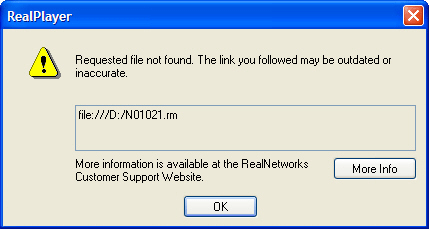
I just started the final exam and the pictures and audio are not working. When I click the audio it says, "Requested file not found. The link you followed may be outdated or inaccurate."
 |
 |
CD-ROM SETUP
- Insert the course CD-ROM disk into the CD-ROM drive.
- Launch Microsoft Internet Explorer and go to www.connect4education.org.
- Login into the course and scroll to the bottom of the course until you see the blue Student Control Panel. Under the Content column, click CD-ROM Setup.
- If you are using Windows, type your CD-ROM drive letter in the Windows Drive field. If you are using a Macintosh, type the exact name of the CD-ROM in the Macintosh CD-ROM Name field. Please note: The Windows Drive field and Macintosh CD-ROM Name field can't contain information at the same time. If you are using Windows, the Macintosh CD-ROM Name field should be empty. If you are using a Macintosh, the Windows Drive field should be empty.
-----
WINDOWS (PC) USERS
If you do not know your CD-ROM drive letter, insert the course CD-ROM into the CD-ROM drive and double-click "My Computer" icon on your desktop. Look for a CD-ROM icon and it should indicate your CD-ROM drive letter.
MACINTOSH USERS
If you do not know your Macintosh CD-ROM name, insert the CD-ROM into the CD-ROM drive and the name of the CD-ROM will appear on your desktop.
------ Click Setup to save any changes to the CD-ROM Setup. You will receive a confirmation "Your CD-ROM setup has been changed."
- Reminder: Anytime you switch to a different computer you will need to do your CD-ROM Setup in the course.
I took an exam and I think I got one of the answers correct.
Please contact your instructor about answers for your quiz. He/She can determine if you should receive credit for your answer. When you are reviewing your test, you can leave a comment in the comment box or you can email your instructor directly.