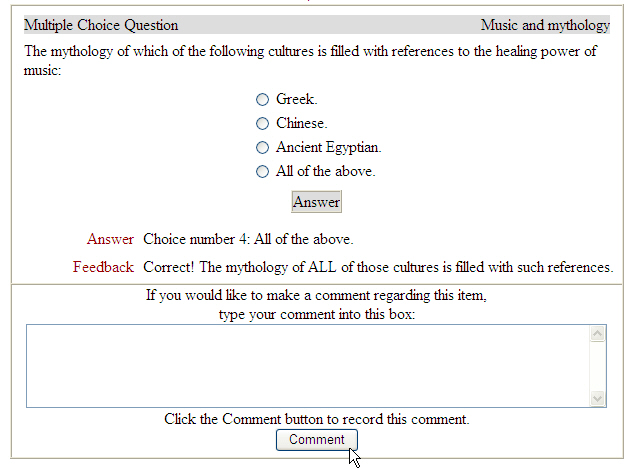





- I need to access previous assignments (quizzes, written assignments, exams) in the course. How do I access them?
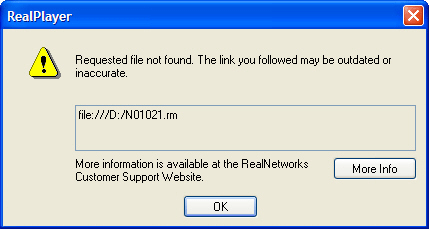
- I just started the final exam and the pictures and audio are not working. When I click the audio it says, "Requested file not found. The link you followed may be outdated or inaccurate."
- I took an exam and I think I got one of the answers correct.
I need to access previous assignements (quizzes, written assignments, exams) in the course. How do I access them?
The Detailed Index page allows you to access any portion of the course including all lectures, quizzes, written assignments, and exams.
- Launch Microsoft Internet Explorer, go to www.connect4education.org and login into your course.
- Scroll to the bottom of the course until you see the blue Student Control Panel. Under the Content column, click Detailed Index.
- Click any section you want to access.

I just started the final exam and the pictures and audio are not working. When I click the audio it says, "Requested file not found. The link you followed may be outdated or inaccurate."
 |
 |
FINAL EXAM INFORMATION
The OnMusic Appreciation final exam is divided into 2 sections (40 questions for each section). The 1st section of the final requires OMA1 CD. The 2nd section of the final requires OMA2 CD. Please make sure you have OMA1 CD inserted when you start the 1st part of the final exam. If OMA1 CD is inserted, please check your CD-ROM Setup in the course.
CD-ROM SETUP
- Insert the course CD-ROM disk into the CD-ROM drive.
- Launch Microsoft Internet Explorer and go to www.connect4education.org.
- Login into the course and scroll to the bottom of the page. On the blue Student Control Panel, click CD-ROM Setup.
- If you are using Windows, type your CD-ROM drive letter in the Windows Drive field. If you are using a Macintosh, type the exact name of the CD-ROM in the Macintosh CD-ROM Name field. Please note: The Windows Drive field and Macintosh CD-ROM Name field can't contain information at the same time. If you are using Windows, the Macintosh CD-ROM Name field should be empty. If you are using a Macintosh, the Windows Drive field should be empty.
-----
WINDOWS (PC) USERS
If you do not know your CD-ROM drive letter, insert the course CD-ROM into the CD-ROM drive and double-click "My Computer" icon on your desktop. Look for a CD-ROM icon and it should indicate your CD-ROM drive letter.
MACINTOSH USERS
If you do not know your Macintosh CD-ROM name, insert the CD-ROM into the CD-ROM drive and the name of the CD-ROM will appear on your desktop.
------ Click Setup to save any changes to the CD-ROM Setup. You will receive a confirmation "Your CD-ROM setup has been changed."
- Reminder: Anytime you switch to a different computer you will need to do your CD-ROM Setup in the course.
I took an exam and I think I got one of the answers correct.
Please contact your instructor about answers for your quiz. He/She can determine if you should receive credit for your answer. When you are reviewing your test, you can leave a comment in the comment box or you can email your instructor directly.